High G vs Low G Ukulele Tuning: What Changes?
High G and low G use the same note names, G–C–E–A, but the G string sounds in a different octave. That changes the sound of a chord without changing the basic fret shapes used in GCEA tuning.
Compare the open strings
| Setup | G | C | E | A |
|---|---|---|---|---|
| High G | G4 | C4 | E4 | A4 |
| Low G | G3 | C4 | E4 | A4 |
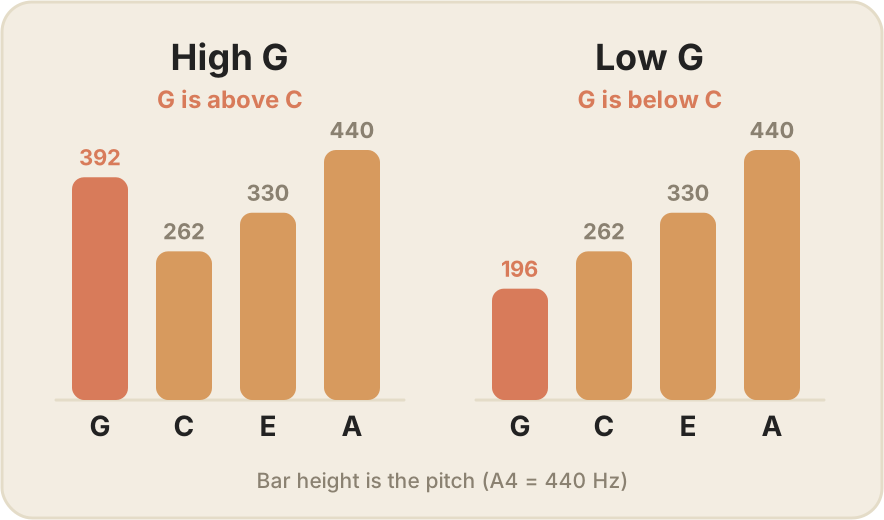
High G puts the G above C in pitch. Low G puts it below C. At A4 = 440 Hz, the two G targets are approximately 392 Hz and 196 Hz.
Do the chord shapes change?
For ordinary GCEA chord shapes, the fret positions stay the same: C can still be 0–0–0–3, for example. But the register and voicing change because one note is an octave lower. Fingerstyle arrangements can depend on that difference, so a tab written for one setup may not sound as intended on the other.
Do not change tuning by guesswork
Use a string designed for the intended pitch and instrument scale. Before changing to low G, check the string maker’s guidance and whether the instrument needs any setup attention. Do not pull an existing low-G string up an octave to test high G.
There is no universally better choice. High G offers a familiar re-entrant sound; low G extends the lower range. Choose based on the sound and arrangements you want, not on an assumption that one is the “advanced” tuning.
Next: return to the tuning steps or check your first chords.
Uku includes standard and Low G tuning options. Get it for iPhone and iPad, and select the tuning that matches your actual string set.